 Stefan Broenner
441f4c27dc
Stefan Broenner
441f4c27dc
* Set explicit production render quality

Co-authored-by: Copilot App <223556219+Copilot@users.noreply.github.com>

* Publish the high-quality YouTube intro on the website

Replace the old upload links with the verified new public video and document the complete publication checklist.

Co-authored-by: Copilot App <223556219+Copilot@users.noreply.github.com>

---------

Co-authored-by: Stefan Broenner <stbrnner@microsoft.com>
Co-authored-by: Copilot App <223556219+Copilot@users.noreply.github.com>
8.4 KiB
template, title, description, keywords, hide
| template | title | description | keywords | hide | ||
|---|---|---|---|---|---|---|
| home.html | Home | Automate real Microsoft Excel with GitHub Copilot, Claude, and other AI assistants using Power Query, DAX, VBA, PivotTables, charts, and Python. | Excel automation, MCP server, AI Excel, Power Query, DAX measures, VBA macros, GitHub Copilot Excel, Claude Excel, Excel CLI, M code |
|
!!! success "Powered by the real Excel engine" Excel MCP Server automates the actual Excel application through its official COM API — the same engine Excel itself uses. That unlocks what spreadsheets are really for:
- **Runs live Excel operations.** Refresh Power Query to pull and reshape
  fresh data, recalculate with Excel's own engine, refresh PivotTables and
  the Data Model, evaluate DAX, and run VBA or Python `=PY()` — the real,
  *computed results* land right in your workbook.
- **Edits your existing files safely.** Excel opens and saves the workbook
  itself, so every formula, PivotTable, chart, macro, the Data Model and all
  your formatting stay exactly as they were.

Other tools (openpyxl-based MCP servers and Agent Skills, including
Anthropic's `xlsx` skill) read and rewrite the `.xlsx` file directly — which
can quietly drop PivotTables, charts, and macros, and can't run Power Query,
the Data Model, or DAX at all. Here, Excel does the work. Watch it live: just
say *"Show me Excel while you work."*
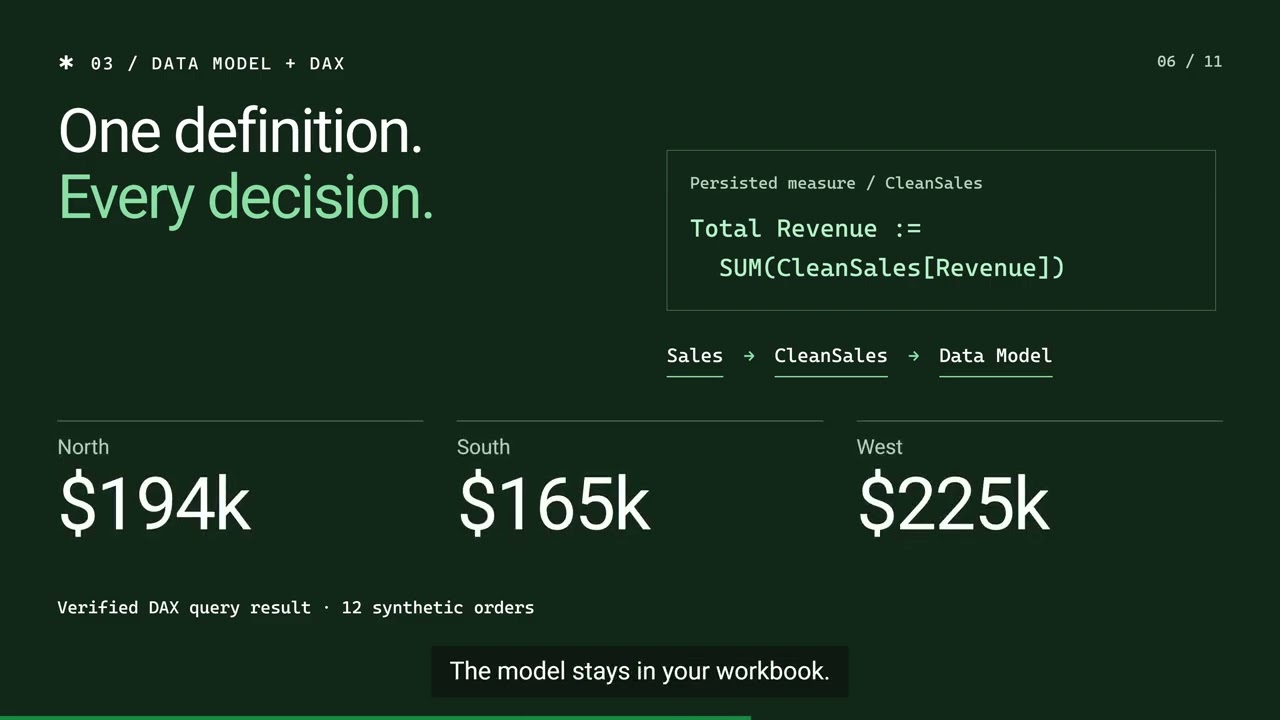

!!! tip "Also building PowerPoint decks?" Check out PowerPoint MCP Server — the sister project, built the same way.
!!! tip "Also automating Windows apps and browsers?" Check out Windows MCP Server — automate Windows apps and browsers from your AI assistant.
Key features
-
:material-transit-connection-variant:{ .lg .middle } Power Query & M code
Create, edit and optimize M code. Import from files, databases and APIs. Refresh queries and manage load destinations.
-
:material-calculator-variant:{ .lg .middle } Power Pivot & DAX
Build Data Models, create DAX measures and manage table relationships. Full Power Pivot automation.
-
:material-chart-box:{ .lg .middle } PivotTables & charts
Create PivotTables from ranges, tables or the Data Model. Build charts and PivotCharts with full formatting control.
-
:material-table:{ .lg .middle } Tables & ranges
Read/write data, formulas and formatting. Filter, sort and validate. Manage Excel Tables with structured references.
-
:material-code-braces:{ .lg .middle } VBA macros
View, import, update and execute VBA code. Export modules for version control.
-
:material-file-table-box-multiple:{ .lg .middle } Worksheets & connections
Manage sheets, named ranges and data connections. Copy and move sheets between workbooks.
-
:material-eye-outline:{ .lg .middle } Agent mode
Watch AI work in Excel in real time — side-by-side view, live status-bar feedback and smart window arrangement, like a pair programmer in a spreadsheet.
-
:fontawesome-brands-python:{ .lg .middle } Python in Excel
Write and run
=PY()formulas that execute in Excel's cloud Python engine — process worksheet data with pandas, NumPy and more, from your AI assistant. -
:material-test-tube:{ .lg .middle } LLM-tested quality
Tool behavior validated with real LLM workflows, so AI assistants reliably understand and use every operation.
See all 31 tools and 326 operations :material-arrow-right:{ .md-button .md-button--primary }
Popular guides
- Refresh Power Query from an AI assistant
- Build and update PivotTables with an AI assistant
- Query the Excel Data Model with DAX
- Run VBA macros from an AI agent
- Real Excel automation vs. file-parser libraries
See it in action
Ask your AI assistant in plain language — it drives Excel for you:
.xlsx file.!!! example "📝 Create & populate data" You: "Create a new Excel file with a table for tracking sales — include Date, Product, Quantity, Unit Price and Total with sample data and formulas."
The AI creates the workbook, adds headers, enters sample data and builds
formulas automatically.
!!! example "📊 PivotTables & charts" You: "Create a PivotTable showing total sales by Product, then add a bar chart to visualize the results."
The AI creates the PivotTable with proper field configuration and adds a
linked chart.
!!! example "🔄 Power Query & Data Model" You: "Use Power Query to import products.csv, load it to the Data Model, and create measures for Total Revenue and Average Rating."
The AI imports the data, adds it to Power Pivot and creates DAX measures
ready for analysis.
!!! example "🎨 Formatting & tables" You: "Format the Price column as currency, highlight values over $500 in green, and convert this to an Excel Table."
The AI applies number formats, conditional styling, auto-fit and structured
table styling.
And because Excel MCP Server works with the real Excel application, modern
features like Python in Excel work too — your AI assistant can write
=PY() formulas that run pandas and NumPy directly on your worksheet data:
=PY() formula (note the green PY badge) and Excel's Python ribbon group — summing the SalesData table with pandas, driven from your AI assistant.CLI or MCP Server?
This package ships both a CLI and an MCP Server. They share the same core, so every operation behaves identically — pick the entry point that fits your workflow:
| Interface | Best for | Why |
|---|---|---|
CLI (excelcli) |
Coding agents (Copilot, Cursor, Windsurf) | 64% fewer tokens — single tool, no large schemas. Better for cost-sensitive, high-throughput automation. |
| MCP Server | Conversational AI (Claude Desktop, VS Code Chat) | Rich tool discovery and a persistent connection. Better for interactive, exploratory workflows. |
MCP Server docs{ .md-button } CLI docs{ .md-button }
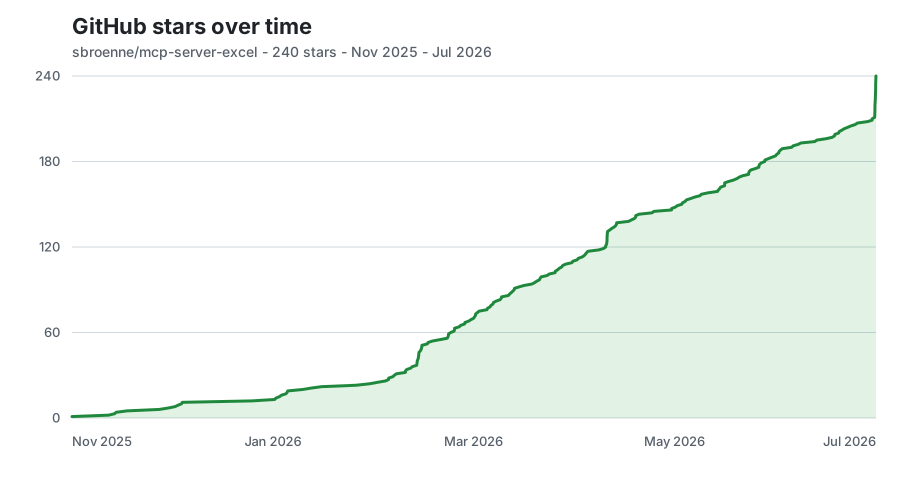
GitHub star history
 { width="900" height="480" loading=lazy }
Updated daily on the deployed site from exact aggregate snapshots; no stargazer identities are stored.